

Position the Stitch Patterns
The Goal


By integrating the stitch patterns with the garment shapes, we can precisely position the stitch patterns to copy the original design.

Position the Stitch Patterns
Overview: Integrate Stitch Patterns with Shapes
Position the Stitch Patterns
Quick 'n Easy
Position the Stitch Patterns
Put 2 Patterns Together
Position the Stitch Patterns
Don't Skip This
Position the Stitch Patterns
Integrate with Original Pattern Drafting
For all-over stitch patterns, we can integrate them with garment pieces using Original Pattern Drafting.
But there are limitations.
But there are limitations.
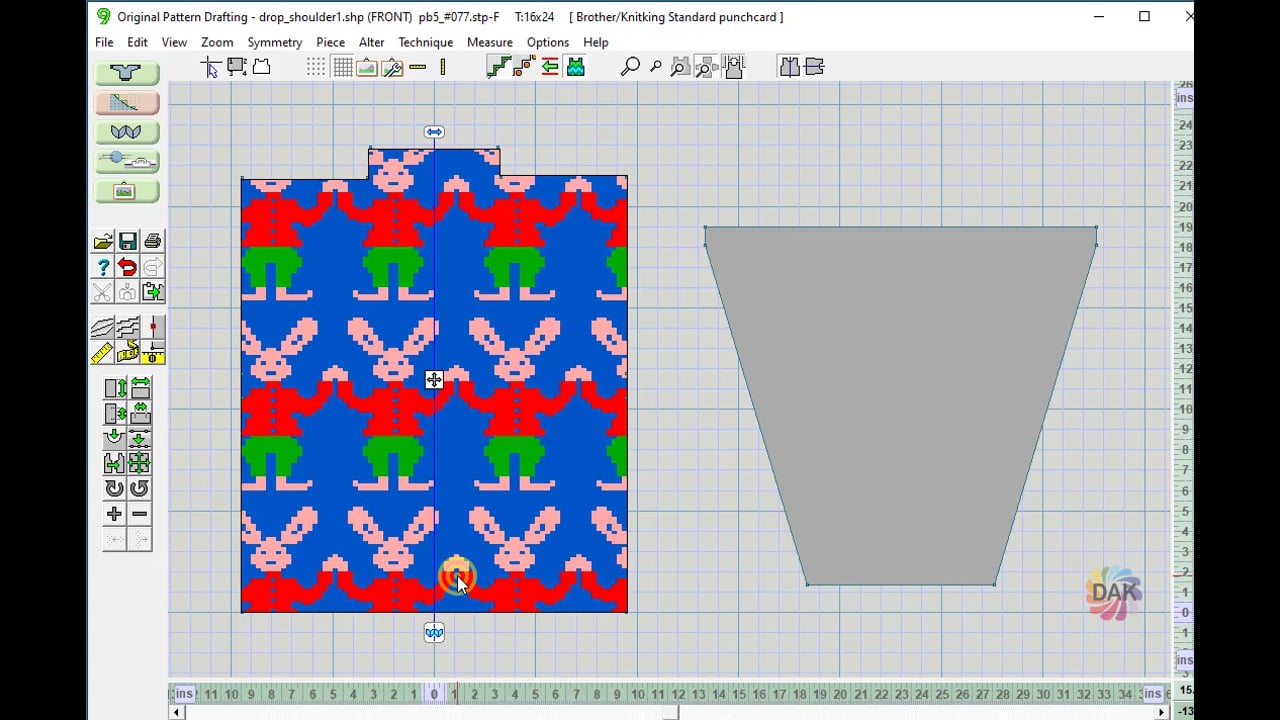
For our Fairisle project, now that we've created an all-over stitch pattern, it can be manipulated in Original Pattern Drafting.
This is the perfect place to integrate the stitch pattern with a pocket or other garment pieces.

Position the Stitch Patterns
Compare: SD verses OPD

We can integrate and position stitch patterns in Original Pattern Drafting or Stitch Designer. Each method has it's advantages.
Take time to determine which one works for your garment design.

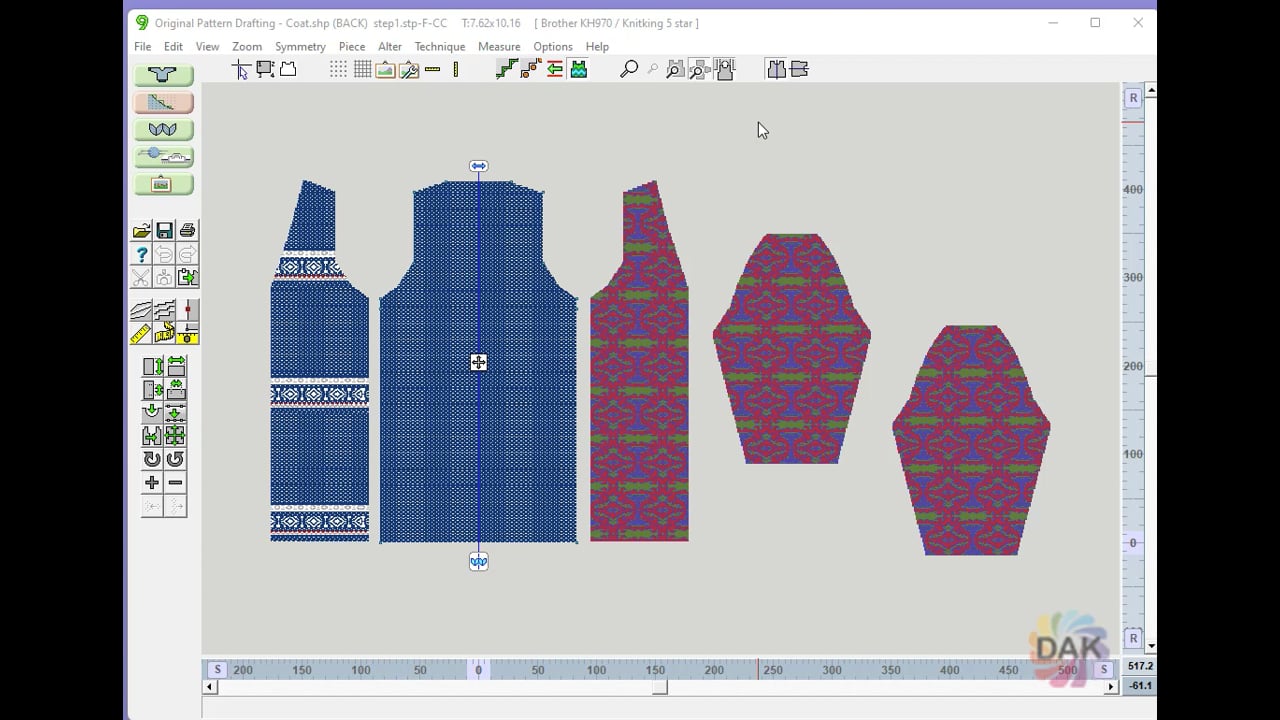 Compare using Stitch Designer or Original Pattern Drafting for positioning (integrating) stitch patterns.
Position the Stitch Patterns
Your Turn: Position your Stitch pattern
Using the garment pieces and the stitch patterns you created previously, integrate your stitch patterns.


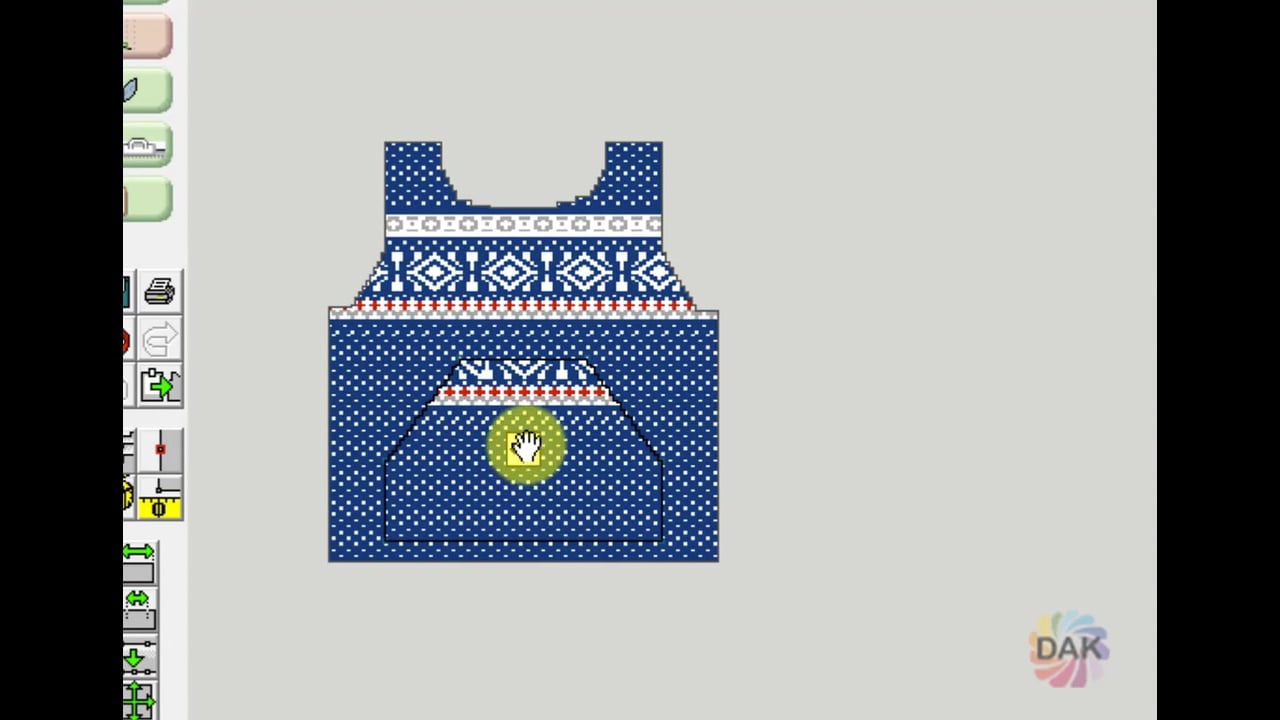
Position the Birds-eye pattern on your pieces
- Stitch Designer
- Create a new pattern
- >File
- > New Pattern Setup
- > Set size from pattern piece
- Select the largest piece - back
- Import the birdseye stitch pattern
- >Edit
- >Import
- >Tile
- Press "enter"
- Cut pieces out to preview

- Save as Step 1
Position the Border stitch pattern on top of the birds eye pattern
- Use Step 1 file
- Make sure all the border colors are opaque
- Import the border stitch pattern
- >Edit
- >Import
- >Horizontal border
- Up arrow to position
- Enter key to position
- Select pieces to display

- Use the Move tool to position the pieces
- Save as Step 2
Position the stitch pattern on your pocket
- Use Original Pattern Drafting
- Open your garment shape file
- Add the your pocket piece
- >Piece
- >Import Piece
- Integrate the pocket piece with your Step 2 stitch pattern
- >File
- >Integrate
- Left click to move the pocket piece
- Click the move icon to position the stitch pattern

Position the Stitch Patterns
Select a lesson from the menu to get started.