

Overview
The Goal of this course
For success in mastering DesignaKnit, take it step-by-step
All the power of Designaknit is at your fingertips.
Ditch the pencil, paper and calculator. Using the software, quickly and accurately draft custom knitting patterns made just for you.
In this course you will copy a sweater from a photo. No knitting instructions are available and the sweater is also not available to try on and measure.
Using all the DesignaKnit modules, you will:
Ditch the pencil, paper and calculator. Using the software, quickly and accurately draft custom knitting patterns made just for you.
In this course you will copy a sweater from a photo. No knitting instructions are available and the sweater is also not available to try on and measure.
Using all the DesignaKnit modules, you will:
- Create the basic sweater knitting instructions
- Use Graphic Studio and Stitch Designer to create stitch patterns
- Precisely position the stitch patterns on the garment pieces
- Design and add a kangaroo pocket
- Print knitting instructions
- Use Interactive knitting to knit the sweater with the stitch patterns

New to DAK? (or are your skills rusty?)


Overview
The Power of Software
All the power of Designaknit is at your fingertips.
Ditch the pencil, paper and calculator. Quickly and accurately draft custom knittingn patterns made just for you.
Ditch the pencil, paper and calculator. Quickly and accurately draft custom knittingn patterns made just for you.
 |
Create knitting patterns from the library of "standard" garments. Hundreds of combinations are available with just a few clicks |
 |
Get creative and modify those standards graphically, with Original Pattern Drafting. Create your own knitted shapes and let DAK calculate your knitting instructions |
 |
Create and position stitch patterns on your garment pieces without graph paper. |
 |
Use Graphics Studio to manipulate published stitch patterns and make them your own |
 |
Use interactive knitting to follow your pattern row by row |
Overview
Start to Finish Plan
Swatch and establish gauge
Identify and Create basic Sweater Shape | Standard Garment Styling
Make design modifications | Original Pattern Drafting
Draw / copy stitch patterns | Stitch Designer
Copy an existing stitch pattern | Graphic Designer
Position the stitch pattern(s) on the garment pieces | Stitch Designer and Original Pattern Drafting
Create stitch pattern in useable format | Stitch Designer
Knit the garment shapes while knitting in pattern | Interactive knitting
Swatch for ALL stitch patterns. Fairisle knits at a different gauge than stockinette and the band stitch pattern may knit at a different gauge than the birdseye pattern.
To account for the differences:
To account for the differences:
- Change your tension and swatch until each stitch pattern is the same as the others
- Adjust your stitch and row counts to accommodate the differences
From Knit it Now: Mix 'n Match Stitch patterns
Identify and Create basic Sweater Shape | Standard Garment Styling
- Choose from the hundreds of built-in sweater shapes.
- Make ALL sizing changes in Standard Garment Styling
Make design modifications | Original Pattern Drafting
- Add pockets and collars
- Move points to modify the basic shapes taking care to preserve any edges that will join (seams)
Draw / copy stitch patterns | Stitch Designer
- Choose from hundreds of available stitch patterns in DAK folders
- Copy from printed resources
- Create your own.
Copy an existing stitch pattern | Graphic Designer
Graphic designer can make quick work of re-creating stitch patterns you find in books and printed materials
Position the stitch pattern(s) on the garment pieces | Stitch Designer and Original Pattern Drafting
- In Stitch Designer you move the garment pieces over the "fabric" of the stitch pattern
- In Original pattern Drafting move the "fabric" behind the garment pieces
Create stitch pattern in useable format | Stitch Designer
Create punchcards, mylar or download to your electronic machine
Knit the garment shapes while knitting in pattern | Interactive knitting
Follow along row-by-row to knit your garment shapes, change colors and keep track of your stitch patterns

Overview
First Steps


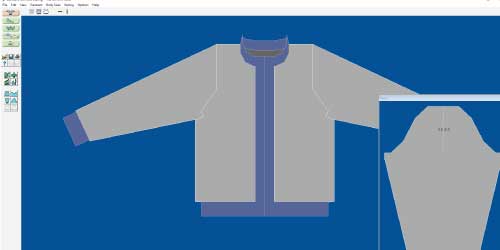
The first step in copying a sweater is to identify the style of the sweater.
DesignaKnit will guide you and ask questions as you build your sweater in Standard Garment Styling.
,br> Most sweaters can be identified by their armhole and sleeve style.
DesignaKnit will guide you and ask questions as you build your sweater in Standard Garment Styling.
,br> Most sweaters can be identified by their armhole and sleeve style.
- Is it a cardigan or pullover?
- What armhole and sleeve style do you want?

DesignaKnit offers 4 sleeve styles: Drop Shoulder | Set in Sleeve | Raglan | Saddle Shoulder
Overview
Select a lesson from the menu to get started.