

Standard Garment Styling with the Lk150
The Goal:

Using Standard Garment Styling with the LK150 is exactly the same as using it with any other machine - electronic or not.
- You’ll create shapes for your Sweater
- Enter your gauge
- Generate instructions customized for your project.
In this module, we’ll walk through how to create your garment shape, set up your printouts, and (optionally) follow along with Interactive Knitting if you have a cable. Either way, you’re fully in control.
The 8 Steps to Draft Your Sweater
Fine-tuning the Garment Style
Generating Instructions
Adding Stich Patterns
How Much Yarn Do I Need?
Get ready to use Interactive Knitting
Standard Garment Styling with the Lk150
Why Use Standard Garment Styling?
Are You Skipping Over All Those Prompts?
Standard Garment Styling might feel overwhelming with all its pop-ups and options — but those “million questions” hide some powerful tools.
In this quick video, we’ll take a closer look at how Standard Garment Styling can help you:
- Improve the fit of your sweaters
- Save time with custom sizing
- Get great results without using Original Pattern Drafting
It’s not just about filling in boxes — it’s about making DesignaKnit work for you.
Standard Garment Styling with the Lk150
8 Steps to Draft your Sweater
Standard Garment Styling guides you through a series of simple steps to set up your custom pattern. Depending on the choices you make, you'll see different options along the way – each one helps shape your finished garment. It might seem like a lot at first, but each step builds on the last.
By the time you’re done, you'll have a pattern tailored to your yarn, your gauge, and your LK150 – ready to knit.
The 8 Steps to Draft Your Sweater in Standard Garment Styling
| Step | Screen | Choices / Purpose | Image |
|---|---|---|---|
| Select Garment Type | Wearer, Gender, Garment Type, Tops, Sleeve, Front neck, Back Neck, Skirts | View Image | |

|
|||
| Select Knitting Method | Hand or machine | View Image | |

|
|||
| Knitting Machine Selection | List of machines | View Image | |

|
|||
| Tensions + Notes | Main tensions, rib tension, tension dial setting note, personal notes | View Image | |

|
|||
| Select Ease Table | Casual, classic, oversize, zero | View Image | |

|
|||
| Define Body Size | Standard size, custom size | View Image | |

|
|||
| Standard Size Listing | Listing by choices made | View Image | |

|
|||
| Body Measurements | Body measurements, ease and ability to change the ease table used | View Image | |

|
|||

Standard Garment Styling with the Lk150
Fine-tuning the Garment Style
Once you've selected a garment shape in Standard Garment Styling, don't skip the styling screens! These options let you shape the body, neckline, sleeves, sleeve head, raglan seams, and even add a skirt—all with just a few clicks.
Many knitters try to force these changes later in Original Pattern Drafting, but it’s faster and more accurate to set them up here.
Explore each tab below and define the style of your garment before moving on.
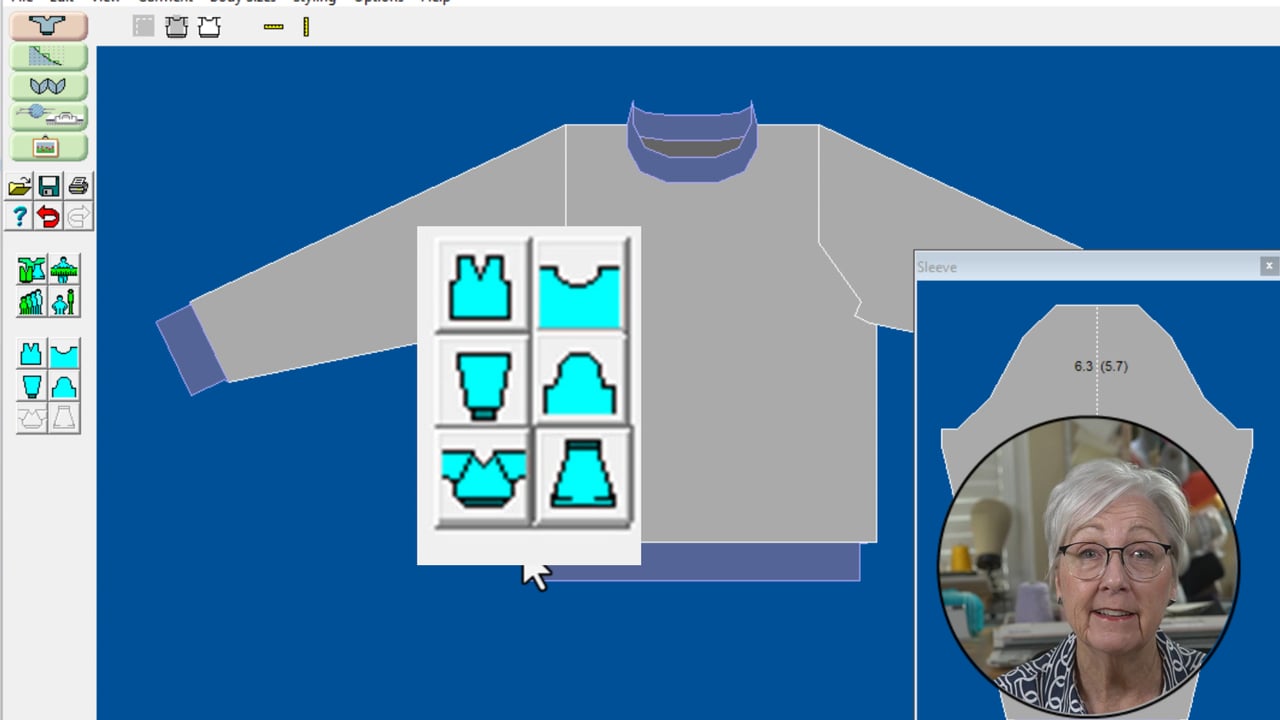
 Garment Body Styling

 Neckline Styling

 Sleeves Styling

 Sleeve Head Styling

 Raglan

 Skirt Styling

Want help using these styling tools with confidence?
Explore the Standard Garment Styling CourseA step-by-step walkthrough of every styling option, with real examples.
Standard Garment Styling with the Lk150
Generating Instructions and Getting Ready to Knit
You've knit your swatch and entered your gauge.
- Print your knitting instructons (your choice of pattern style)
- Knit-for-screen with interactive Knitting
.png)
Standard Garment Styling with the Lk150
Printing Options
Standard Garment Styling with the Lk150
Adding Stitch Patterns
- Knit in plain knitting
- Work a little hand manipulation

If you are new to Stitch Designer, check out the course
Stitch Designer 101


Standard Garment Styling with the Lk150
How much yarn do I need?
Standard Garment Styling with the Lk150
Cable Connection
Get ready to use Interactive Knitting
- Use Velcro to attach the magnet to your carriage
- Align the magnet so it "misses" the yarn mast
- Raise the Screen Link Detector (box) to aligh with the magnet (use velcro to secure)
- Use the USB end to connect with your computer

Standard Garment Styling with the Lk150
Select a lesson from the menu to get started.