

Overview and Planning
The Goal

Converting a photo or graphic image to knitting instructions takes a very powerful program.
Think about it, we are using a photo that has millions of bits of information, that represent colors. Because our knitting stitches are rectangular, not square, DesignaKnit correctly converts those millions of data bits to 2-4-6-8 colors all sized proportionally to fit our knitting grid.
Imagine ... we can do this with a few clicks.
The trick is to understand the proper sequence of clicks (steps), giving DesignaKnit the information it needs to translate the original data into something our knitting machines can understand.
Although it seems magical, the process is logical and with a little planning you can do this!
Think about it, we are using a photo that has millions of bits of information, that represent colors. Because our knitting stitches are rectangular, not square, DesignaKnit correctly converts those millions of data bits to 2-4-6-8 colors all sized proportionally to fit our knitting grid.
Imagine ... we can do this with a few clicks.
The trick is to understand the proper sequence of clicks (steps), giving DesignaKnit the information it needs to translate the original data into something our knitting machines can understand.
Although it seems magical, the process is logical and with a little planning you can do this!
The Plan
About Graphic Studio
Cheat Sheet

About Graphic Studio
Cheat Sheet
Overview and Planning
The Plan
In this course we will be focusing on converting a photo to a stitch pattern to be knit in Double Bed Jacquard.
The steps outlined in the course can be applied to other types of images and knitting techniques.
The steps outlined in the course can be applied to other types of images and knitting techniques.
- The digital image is clear.
- We will be knitting this in 3 color Jacquard
- The pillow cover will be 50cm x 50cm (20" x 20")
- We'll establish our gauge first
- Convert the photo to a stitch pattern
- Position the stitch pattern on an Original Pattern Drafting piece
- Integrate the stitch pattern on a piece
- Download the integrated piece and stitch pattern to the knitting machine
- Use Interactive Knitting to knit the piece
Understand the steps
and the "why's"
and you'll be on your way to mastering
Graphics Studio.
and the "why's"
and you'll be on your way to mastering
Graphics Studio.
Overview and Planning
About Graphic Studio
Please don't skip this!
Before starting to push buttons and try a conversion, it's important to understand some of the logic behind Graphic Studio.
It can't do it's job accurately without information from you.
Understand what DesignaKnit needs and your conversion will go without a hitch.
My apologies... I tend to call Graphics Studio by the wrong name Graphic Designer ... throughout this course, I'm talking about Graphics Studio.
Before starting to push buttons and try a conversion, it's important to understand some of the logic behind Graphic Studio.
It can't do it's job accurately without information from you.
Understand what DesignaKnit needs and your conversion will go without a hitch.
My apologies... I tend to call Graphics Studio by the wrong name Graphic Designer ... throughout this course, I'm talking about Graphics Studio.
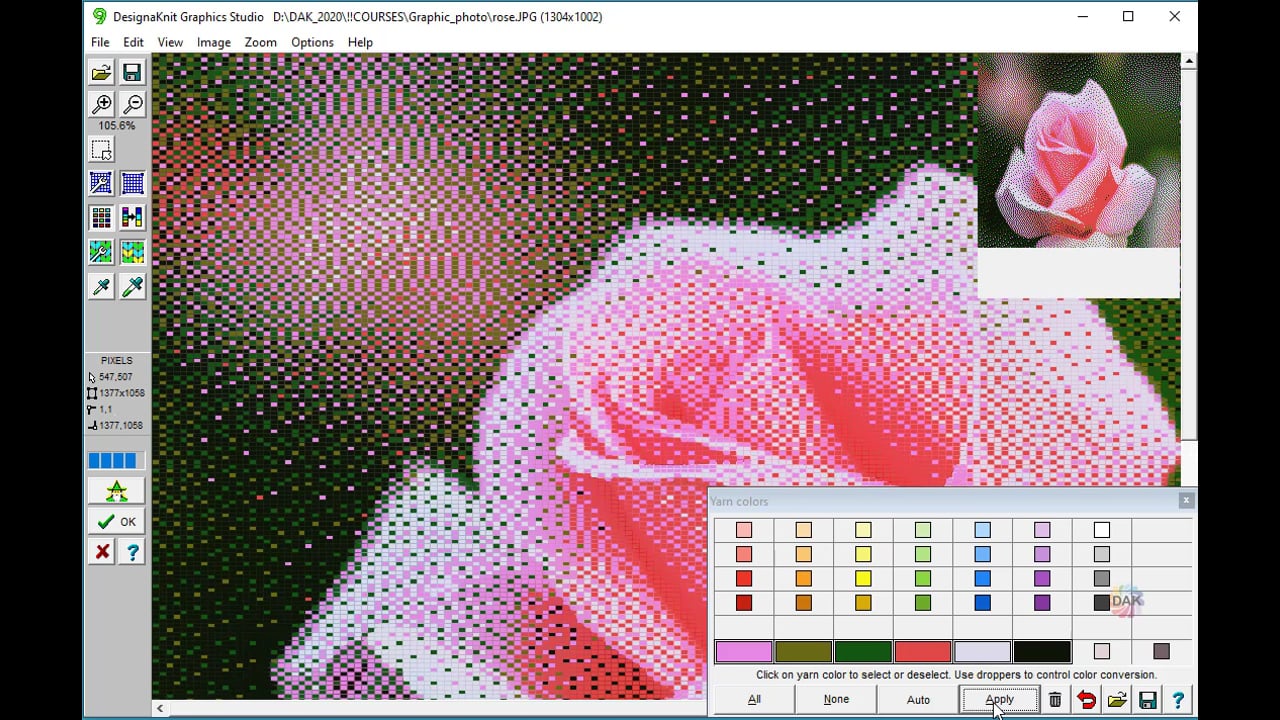
The purpose of Graphics Studio is to create a stitch pattern that can be used in Stitch Designer
If you aren't proficient in Stitch Designer, please take time to get familiar with AT LEAST the basics. This Graphics Studio Course will touch on using Stitch Designer, but it assumes that you are familiar with the workspace and the basic tools.
Master Stitch Designer with LearnDesignaKnit.com
Stitch Designer 101

Stitch Designer 201

Overview and Planning
Graphics Studio Cheat Sheet

Overview and Planning
Select a lesson from the menu to get started.