

Machine-Specific: Brother/Knit King
The Goal
Before attempting to knit lace, please master automatic patterning (Punchcard / Elecronics) on your machine. Being familiar with how slip, tuck and fairisle work goes a long way towards understanding lace. With lace, there are so many more variables with a separate carriage and the rules associated with lace.
When the stitch pattern is created with smart symbols and the correct machine is assigned, DAK automatically provides the machine with the correct instructions. It "separates" the symbols so the carriage behaves correctly and forms the desired lace pattern.
To create lace, Brother machines use 2 separate carriages. The lace carriage selects needles and transfers stitches, the main carriage is then used to knit the row(s) according to the pattern.
The thing to keep in mind is the lace carriage "lives" on the left side of the needlebed. A single row of lace transfers requires 2 passes of the carriage.
One pass to transfer the stitches and one pass to return the carriage to the left side of the needlebed (to make room for the main carriage to knit).

The lace carriage on these machines can transfer stitches AND knit the rows. The main knitting carriage is set aside while knitting lace.
When creating more complex lace patterns, the carriage settings are adjusted to "transfer only" and "transfer and knit".

Machine-Specific: Brother/Knit King
Brother: Normal Lace and Fine Lace
Normal Lace
Normal lace includes "holes" or eyelets. Equivalent to (YO, k2tog) in hand knitting, stitches are transferred and a needle is emptied. When the row is knit the emptied needle acquires a strand of yarn that creates the eyelet.
Fine Lace
Instead of transferring an entire stitch, forming an eyelet, Fine Lace transfers one leg of a stitch to the adjacent needle. In other words, the stitch is shared between 2 needles. This creates an interesting texture without holes.

Machine-Specific: Brother/Knit King
Interactive Knitting: Brother/Knit King

For Interactive Knitting, Brother knitting machines require an extra magnet arm to attach to the lace carriage. (or you need to manually advance the rows in interactive knitting as you pass the lace carriage)
To create lace, Brother machines use 2 separate carriages. The lace carriage selects needles and transfers stitches, the main carriage is then used to knit the row(s) according to the pattern.
The thing to keep in mind is the lace carriage "lives" on the left side of the needlebed. A single row of lace transfers requires 2 passes of the carriage. One pass to transfer the stitches and one pass to return the carriage to the left side of the needlebed (to make room for the main carriage to knit).
While using Interactive Knitting, DAK will respond to the smart symbols you included in your stitch pattern by displaying the carriage in the Piece Overview window.


The White carriage means that the normal carriage is in use and the yarn will be knitted by that carriage.

The Pink Carriage indicates that the lace carriage should be used AND set for Normal Lace Transfers


The Blue carriage indicates that the lace carriage should used AND set for FIne Lace
 .
.
Machine-Specific: Brother/Knit King
Punchcards: Brother
Notice the row numbers. DAK is only indicating the lace carrriage rows.

Sample Original Punchcards Notice the arrow indicator between the Lace Carriage Rows.
Only the Lace Carriage advances the punchcard.
When creating punchards for Brother machines in DAK, you may want to use a highlighter or make a mark indicating when to use the main carriage.

Machine-Specific: Brother/Knit King
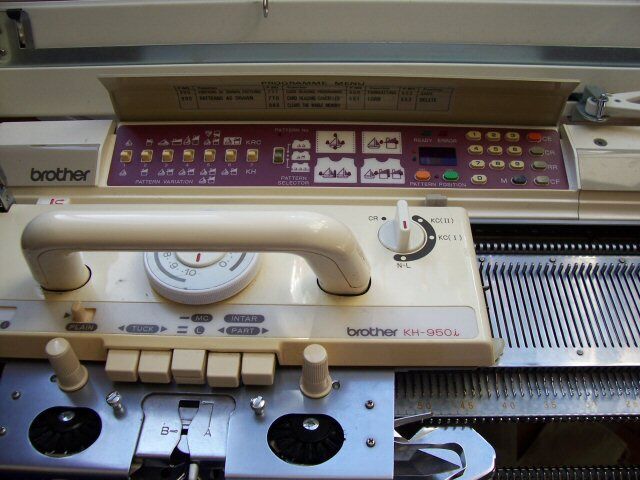
Brother KH950i
DAK punchcards included with the lace carriage passes and plain rows when printing.
With a magnet attached to both carriages, DAK can recognize that a different carriage has passed and advances to the next row.
When knitting from the Mylar sheet, Interactive Knitting can be done using a Screen Link

~or~
The stitch pattern can be downloaded to the electronics of the knitting machine and knit interactively using the USB BrotherLink 5

Machine-Specific: Brother/Knit King
A common Brother Message
"Lace transfer may EITHER be on odd or even rows (not both)"
This video troubleshoots a problematic stitch pattern.
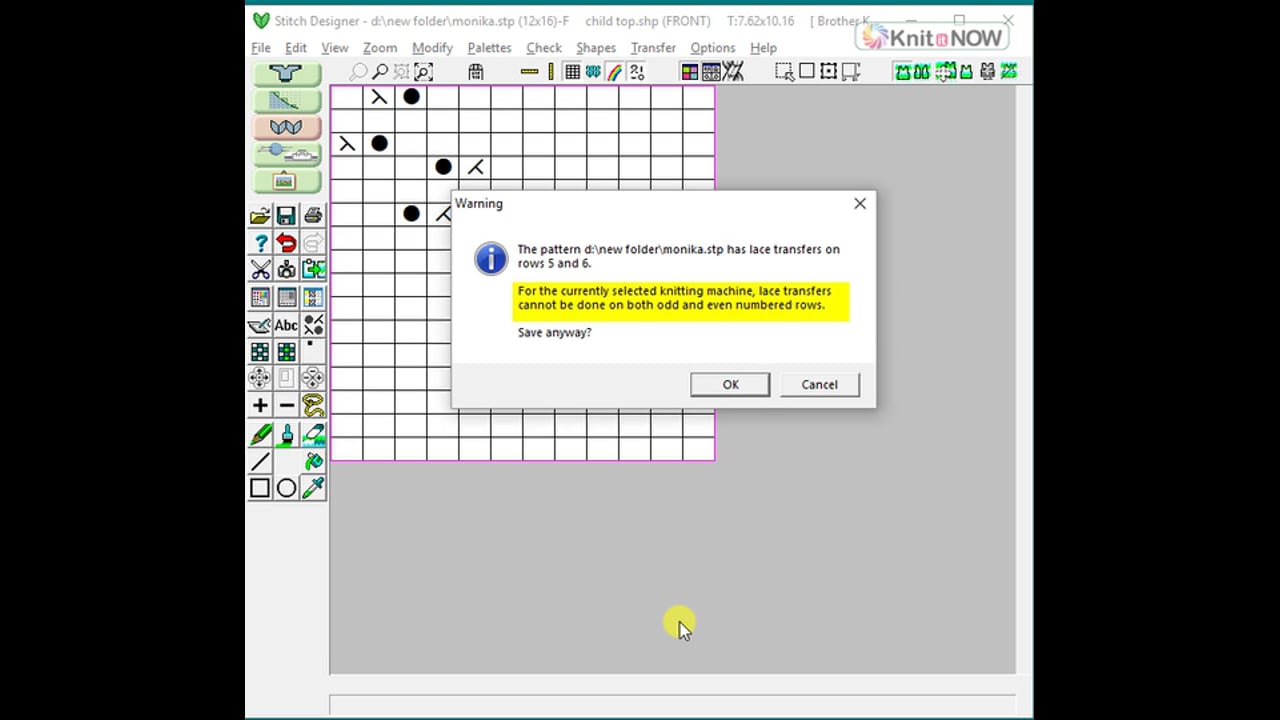
- Reduce the stitch pattern to a single repeat
- Position the symbols on even rows only
Machine-Specific: Brother/Knit King
Lace and the Brother 970
Brother KH970 - downloading lace
- Create the stitch pattern in DesignaKnit (assign the correct machine)
- Download the stitch pattern to the CB-1 Box
- When setting up to knit, choose "Knit Carriage" (not lace carriage)
- Use Interactive knitting and follow the instructions
The key to DesignaKnit and the Brother 970 CB1 box is to remember that all electronic stitch patterns are binary: just black/white (on/off 1/2)
Knitting machine electronics don't recognize the DAK symbols. We design with symbols in DAK so DesignaKnit applies "rules" to make sure the patterns we create are Knit-able. For example, if we try to place 2 eyelets side by side, DAK will warn us and remind us that this can't be done with a lace carriage on a knitting machine.
When it's time to use a DAK lace pattern on your Brother 970, you can download the stitch pattern, but when you set up to use the pattern in the CB-1 box, choose the knit carriage. NOT the lace carriage.

THEN use Interactive Knitting to keep track of when to use the K carriage and when to use the lace carriage.
From Softbyte
Problem description: The downloaded lace pattern is blank.After downloading, the CB-1 asks which carriage to use: select the knit carriage and not the lace carriage.
DesignaKnit 9 (and DesignaKnit 8 with the Lace Tool enabled) download lace patterns in a separated form, ready for interactive knitting. You will be following knitting instructions from DesignaKnit, not from the CB-1. If you select the lace carriage, the CB-1 will try to interpret the downloaded pattern as unseparated lace and separate it a second time, resulting in a largely blank pattern.
From the archives:
Here is a lesson for programming lace patterns in the CB-1 box WITHOUT DESIGNAKNIT.
Long-time machine knitter Roz Porter generously shared this with the machine knitting community.
Programming Lace on the Brother CB-1 Box (Knit King CompuKnit 5 star)
Machine-Specific: Brother/Knit King
Select a lesson from the menu to get started.