Lace stitch patterns (and punchcards) Look very different than other stitch techniques.
It's important to remember that the automatic patterning device of your machine (punchard or electronics) ONLY selects needles. It is the carriage settings that determine what stitch type is formed.
The lace carriage uses the selected needles to form lace stitch transfers.
The Brother lace carriage reads the stitch pattern, selects the needles and transfers stitches to create eyelets. The lace carriage is put aside and the K carriage knits the row.
The Silver/Singer lace carriage, reads the stitch pattern, selects the needles, transfers the stitches and it can also knit the row in 1 pass of the carriage
An understanding of how YOUR lace carriage works is critical to success with knitting lace.
How do I create a punchcard for SSK | YO| k2tog | PSSO?
SSK | YO | k2tog | PSSO are hand knitting terms for creating eyelet lace
Copy a printed punchard or stitch patttern
DAK and machine Knitting - Don't skip this
Punchcards with lace symbols
Q: How do I create a punchcard for SSK | YO| k2tog | PSSO? Answer:
These are hand knitting terms for eyelet lace
When knitting any stitch pattern on an automatic patterning machine, it's important to understand that punchcards (and electronics) are binary... On/off ... black/white etc. ... 1/2
The holes only give the machine instruction to select or deselect needles. The punchcard DOES NOT determine what type of stitch pattern you will knit. It's the carriage settings that determine what happens to the needles.
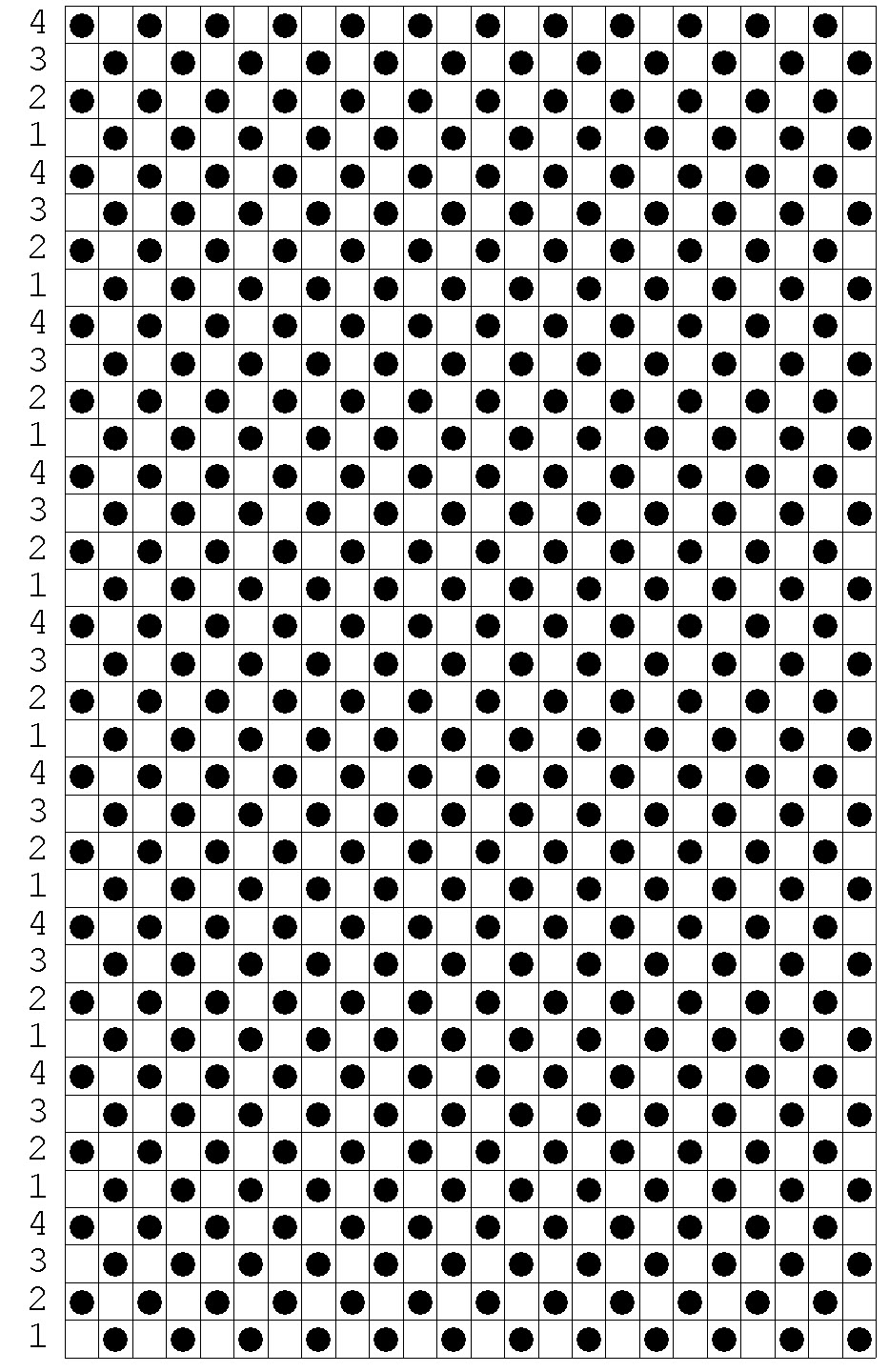
In the example, every other needle is being selected. Carriage set to:
Tuck | Pull Up - every other needle will tuck (working yarn travels OVER the tucked needles)
Slip | Skip - Every other needle will slip (working yarn travels UNDER the slipped needles)
Knit-In | Fairisle - Every other needle will knit with a different color (2 colors threaded in the carriage)
DAK and machine Knitting - Don't skip this
SSK | YO | k2tog | PSSO are hand knitting terms for creating eyelet lace
To create lace on the machine with a Lace Carriage (standard gauge machine with a separate lace carriage) the punchcards also only select needles. It's the functioning of
the lace carriage that creates the stitches
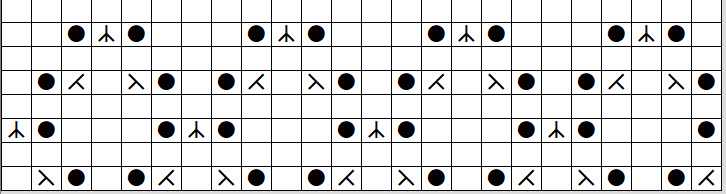
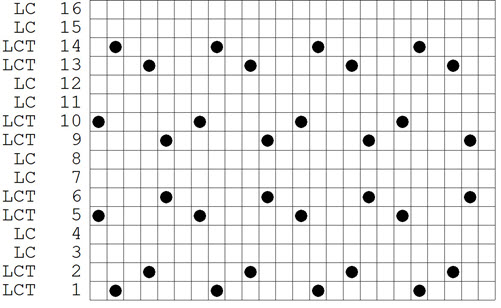
In the example, the hand knitting chart shows the K2tog, yo and PSSO stitches. They are translated by the punchcard to represent the passes of the lace carriage.
Hand knitting chart symbols translated punchard for a lace carriage
DAK and machine Knitting - Don't skip this
Copy a punchcard or MK Stitch Pattern
You might find printed lace punchcards or stitch patterns to copy.
DO NOT USE THE LACE TOOL OR SYMBOLS
Determine if the pattern is for a Brother or Singer/Silver machine (the lace carriages work differently)
Determine the stitch repeats. (If you are using a punchcard machine, the repeat should be 4, 6, 8, 12 or 24 stitches)
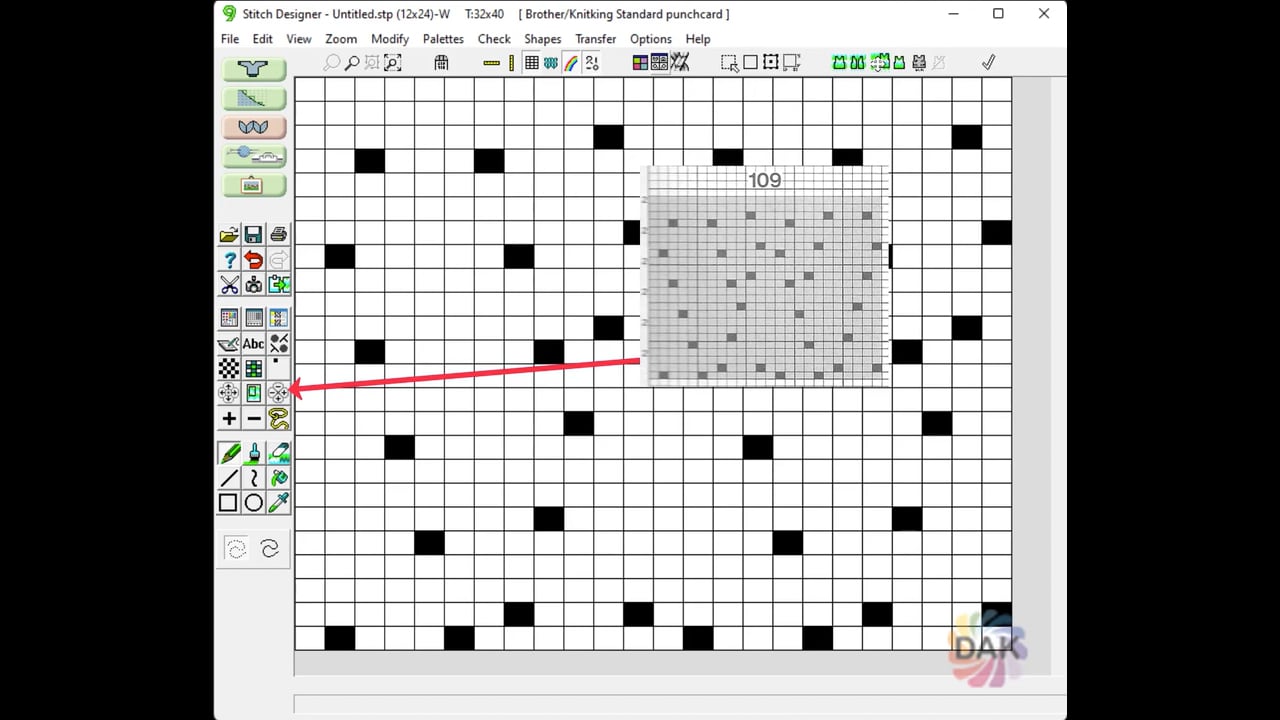
Create a new stitch pattern in Stitch Designer
Machine settings for "wrong side facing"
Use your PENCIL tool and a contrasting color to copy the design
Preview the punchcard or design to see that it matches the printed version
Create a punchcard or download the stitch pattern to your electronic machine